
PS5 Slim vs original PS5: which to buy used
A practical guide to choosing a used PS5 Slim or original PS5, covering disc and digital models, storage, size, condition checks and safety.
Updated November 8, 2026 · Sources last checked November 13, 2026
Our take
Buy the PS5 Slim when used bundles are similarly priced, space matters, or you want a console with a removable disc drive. Choose the original PS5 when it is meaningfully cheaper, includes the disc drive you need, and comes with stronger evidence of good condition and complete accessories. For pre-owned consoles, a complete and demonstrably working bundle matters more than the word “Slim” on the listing.
The Slim changes the enclosure, not the class of console
Sony’s original PS5 and CFI-21XX Slim use the same broad hardware approach: an eight-core Zen 2 processor, AMD Radeon graphics and 16GB of GDDR6 memory. Sony’s specifications support 4K, 120Hz and variable refresh rate, while independent reviews found the Slim’s game performance and loading broadly equivalent to the older console. The meaningful used-buying differences are physical size, storage on some versions, front ports and the disc-drive arrangement.
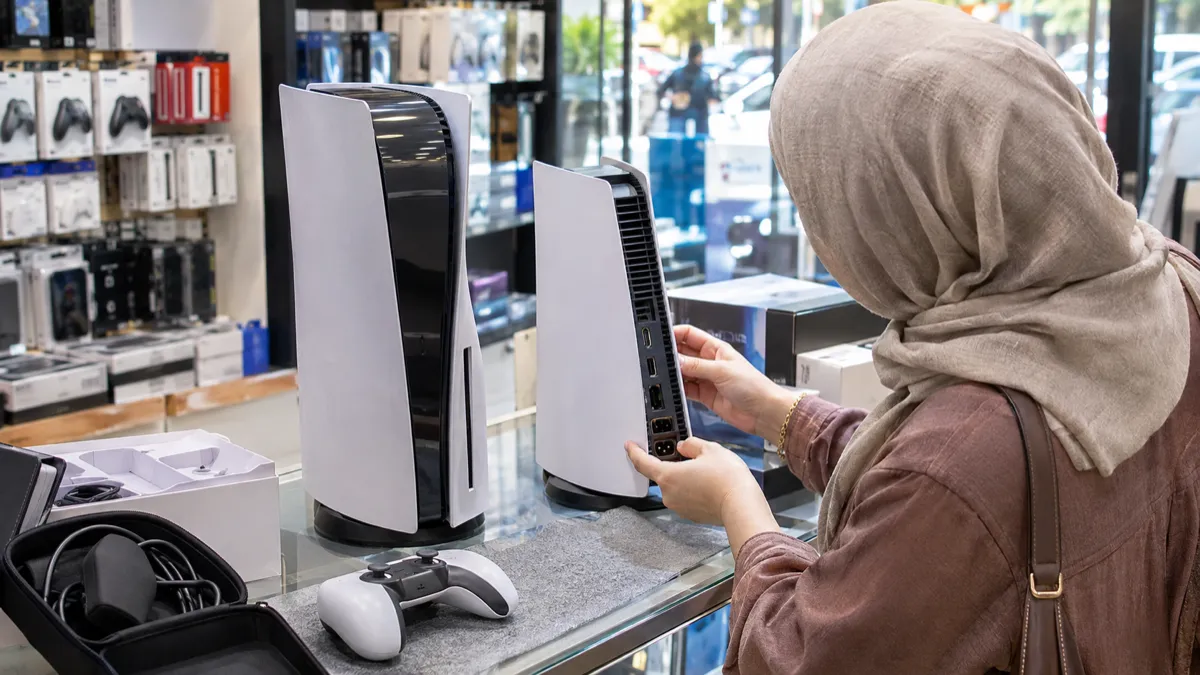
The size difference is the clearest practical advantage. Sony lists the launch disc PS5 at approximately 390 × 104 × 260mm and 4.5kg. For the CFI-21XX Slim, Sony lists the disc version at approximately 358 × 96 × 216mm and 3.1kg; its digital version is approximately 358 × 80 × 216mm and 2.5kg. Ask for the exact CFI model because “Slim” alone does not tell you whether the listing is disc or digital.
The original launch package included a base for vertical or horizontal placement. The Slim includes horizontal feet, while Tom’s Guide notes that its vertical stand is sold separately. If your setup requires an upright console, confirm that the stand is present and compatible before treating two otherwise similar bundles as equal.
| Area | Original PS5 | PS5 Slim CFI-21XX |
|---|---|---|
| Core hardware | Sony lists an eight-core Zen 2 CPU, AMD RDNA 2-based graphics and 16GB GDDR6 | Sony lists an eight-core Zen 2 CPU, AMD RDNA-based graphics and 16GB GDDR6 |
| Internal storage | 825GB custom SSD in Sony’s launch specification | 1TB disc version or 825GB digital version in Sony’s manual |
| Disc arrangement | Disc model has a built-in drive; Digital Edition has none | Disc drive is removable; digital model has a disc-drive port |
| Front ports | One USB-C and one USB-A port on the launch model | Two USB-C ports on the front, as described by Tom’s Guide |
| Physical form | Larger and heavier | Smaller and lighter; disc and digital versions differ |
Storage depends on the exact Slim model
The original launch PS5 specification lists an 825GB SSD. Sony’s CFI-21XX manual lists 1TB for the disc console and 825GB for the digital console. That makes the Slim’s storage advantage real for some packages, but not a safe assumption for every Slim listing, particularly when sellers use generic photographs or omit the model number.
The capacity printed on the box is not the same as the usable space, because Sony reserves part of the SSD for console administration, maintenance and software-related functions. Ask the seller for a photograph of the storage screen and the model label, with account details covered. If an added M.2 SSD is included, it should be named in the listing and visible in the evidence rather than inferred from a stock image.
Both generations support M.2 SSD expansion. For a used buyer, the useful question is therefore not just which box claims the larger capacity. It is whether the console has the storage shown in the listing, whether an extra drive is actually included, and whether the seller can demonstrate that the system recognises it.
Disc ownership decides the version
Sony says a PS5 with a disc drive can play PS5 and compatible PS4 game discs, as well as Ultra HD Blu-ray, Blu-ray and DVD media. The original Digital Edition has no optical drive, so physical PS4 discs cannot be used with it. If you already own boxed games or buy them second-hand, a disc console avoids having to rebuild that library digitally.
The Slim offers a more flexible arrangement. Sony’s CFI-21XX manual lists a disc-drive port and support for PS5 and compatible PS4 discs when a drive is installed. Tom’s Guide describes the drive as removable and says a separate drive can be attached to the Slim Digital Edition. That flexibility is useful, but it creates extra used-buying checks: the drive, its matching cover and the console’s ability to recognise it all need to be confirmed.
Digital makes sense when your games are already downloads and you are confident you will not need discs later. The disc Slim is the safer general-purpose choice if the complete bundle is reasonably priced, because it handles physical games and films while retaining the option to remove the drive. Compare complete packages rather than console shells: a missing drive, cover, stand or controller can change the value substantially.
Condition matters more than the badge
A used PS5 should be assessed as a working electronic device, not simply as a clean-looking piece of plastic. Ask for a short video showing startup, the home screen, controller connection and a game launching. The same evidence should show the model label and storage screen, with private account information hidden.
For a disc console, ask to see a known-good disc inserted, read, installed or played, then ejected. On a Slim, confirm that the detachable drive is present, the correct outer cover is included and the system recognises the drive after startup. Stock photographs cannot establish any of those points.
Test the DualSense as part of the bundle: sticks, triggers, shoulder buttons, vibration and USB-C charging. Check HDMI, USB, networking and power connections where possible. Look for heavy dust, smoke residue, liquid damage, damaged panels and missing serial information, and ask directly about unexpected shutdowns, repairs or replaced parts.
- Confirm the exact CFI model and whether the console is disc or digital.
- Request startup and game-launch evidence plus a clear storage-screen photograph.
- Test the disc drive, controller, HDMI, USB ports and network connection where possible.
- Confirm the power cable, HDMI cable, controller, horizontal feet, stand and advertised SSD.
- Treat refusal to provide basic functional evidence as a reason to keep looking.
Use Sony’s warnings and the recall database
Sony’s safety material advises keeping the console away from heat, humidity, dust, smoke and direct sunlight, and placing it on a stable surface. Those warnings are useful questions for a used purchase: ask where the console was kept, whether it was enclosed in a cabinet and whether it has experienced unexplained shutdowns. A tidy shell does not prove that its previous environment was suitable.
The CPSC provides a searchable recall database and says its data is updated weekly. Check the live database before buying, especially if the bundle includes a third-party power accessory or another product beyond the console itself. A database check is not a substitute for testing the individual unit.
Keep the listing description and messages, confirm the included accessories in writing, and use the platform’s ordinary return and buyer-protection process. A clean exterior should never outweigh missing evidence that the console boots, outputs video, reads discs and includes the parts you are paying for.
The sensible used choice
The PS5 Slim is the better default when the price difference is small. It occupies less space, the CFI-21XX disc model has a 1TB SSD in Sony’s specification, and its removable-drive design gives digital buyers an upgrade path. Choose the disc version if you use physical games or films; choose digital only when downloads genuinely fit your habits.
The original PS5 remains a sound used purchase when the discount is meaningful and it passes the same checks. Its core gaming performance is not a reason by itself to pay extra for the Slim, as Tom’s Guide found the newer model’s performance and loading broadly unchanged. Put the budget into a complete, testable bundle with a healthy controller, the right base or stand, and clear evidence of working storage and video output.
Sources
- Sony PS5 hardware technical specifications
- Sony PS5 launch announcement and specifications
- Sony PS5 CFI-21XX instruction manual
- Tom’s Guide PS5 Slim review
- TechRadar PS5 Slim review
- CPSC Recalls & Product Safety Warnings
Specifications vary by model and reference — always check the individual listing.