
Game console buying guide: PlayStation, Xbox or Nintendo Switch?
Choose the right PlayStation, Xbox or Nintendo generation, then buy used wisely by checking editions, storage, controllers, bans and retro hardware.
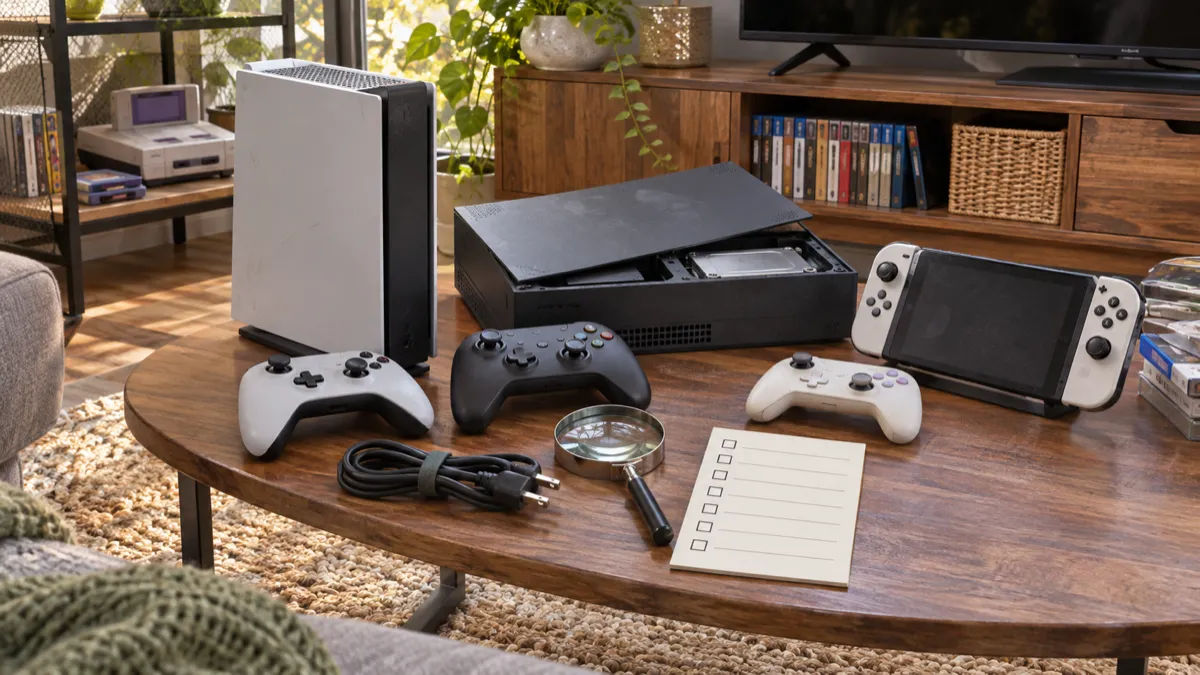
Updated October 8, 2026 · Sources last checked November 13, 2026
Our take
Buy a standard PS5 with a disc drive if you want a current home console and expect to buy used physical games. Choose Xbox Series X if an existing Xbox library and broad backward compatibility matter most; choose Nintendo Switch 2 if handheld play and Nintendo’s games come first. For a tighter budget, a carefully checked used console can work well, provided the model, controller, storage and online status are clear.
The platforms solve different problems
PlayStation 5 and Xbox Series X are designed primarily for television play, while Nintendo Switch 2 can move between handheld, tabletop and docked use. Nintendo lists a 7.9-inch, 1920x1080 screen for Switch 2, 256GB of internal storage and an estimated battery range of roughly 2 to 6.5 hours, depending on the game. In TV mode, its maximum output is 3840x2160 at 60 frames per second, while handheld and tabletop play remain limited to 1920x1080.
Xbox Series X is a strong choice for someone arriving with an Xbox library. Microsoft says it works with thousands of games across four Xbox generations, including selected Xbox One, Xbox 360 and original Xbox titles. Compatibility is title-specific, so check the exact game rather than assuming every older disc will work.
The PS5 Pro is a specialist upgrade rather than a new generation. Tom’s Guide describes it as a powerful refresh of the base PS5, with its most visible gains in supported games, while noting that its price and lack of a disc drive narrow its appeal. It makes more sense for buyers with a capable display and a strong interest in enhanced titles than for someone simply wanting a reliable first console.
| Platform | Best fit | Main compromise |
|---|---|---|
| PlayStation 5 | Current home gaming, physical-game flexibility and the PlayStation library | Digital and disc editions must be identified carefully |
| PS5 Pro | Players who value enhanced visuals and extra storage | Digital-only out of the box; disc drive is separate |
| Xbox Series X | Xbox libraries, backward compatibility and television play | Digital versions remove the option to use game discs |
| Nintendo Switch 2 | Handheld play, Nintendo games and local multiplayer | Its priorities differ from a dedicated living-room performance system |
Generation and edition come before price
Start by identifying the generation, then the edition. A listing that says only “PlayStation” or “Xbox” leaves out the information that determines compatible games, accessories and storage. Ask for a photograph of the model label and compare it with the manufacturer’s page before deciding that a bargain is genuine value.
Sony’s current PS5 information distinguishes a 1TB PS5 console that plays PS5 and PS4 Blu-ray games from an 825GB PS5 Digital Edition with no drive installed. Sony also says the slim Digital Edition can accept a separately purchased drive. On a used listing, confirm whether the drive is included, compatible and actually tested.
The PS5 Pro includes 2TB of storage and no disc drive; Sony lists a separately sold drive as an add-on. In practical terms, a used Pro bundle should be treated as digital-only unless the optional drive is visibly included and confirmed working. Tom’s Guide found the Pro’s extra performance most meaningful in selected supported games, rather than across every title.
Microsoft lists Series X versions with 1TB or 2TB internal SSDs, and some versions have a 4K UHD Blu-ray drive while the 1TB Digital Edition does not. The colour, storage capacity and drive status therefore matter. A digital edition is not automatically a newer or faster generation; it changes how you obtain and use games.
Disc and digital choices shape ownership
A disc console gives you more ways to buy: used games, lending, collecting and reselling. That flexibility matters most when you are building a library gradually or buying pre-owned. Digital buying is simpler, but purchases stay attached to the relevant account and platform store, with no physical copy to pass on or trade.
Xbox explains that a supported backward-compatible game installed from disc is downloaded to the console, but the disc still has to remain in the drive for play. This is an important distinction for used buyers: owning an old disc does not guarantee that the console will accept it, and a digital-only model cannot provide that physical route.
Switch 2 uses game cards rather than optical discs. Nintendo says the system accepts both Switch 2 and original Switch game cards. Storage expansion requires microSD Express cards; older, non-Express microSD cards can be used for transferring screenshots and videos but not as the normal game-storage expansion method. Check the card type before paying extra for a used bundle.
Used consoles need a functional inspection
Cosmetic cleanliness is not a functional test. Ask for photographs of the exact console, controller and cables, then confirm the power lead, HDMI cable, stand or dock and any model-specific storage accessory. A complete bundle is easier to value than a bare console that quietly needs several replacements.
Before buying, ask whether the console has been reset and whether the seller can confirm that it reaches the home screen, connects to Wi-Fi, produces a stable picture and reads a physical game or game card when applicable. After delivery, test online access promptly. A console can be perfectly usable offline yet unsuitable for a buyer who needs multiplayer, downloads or account services.
Account and network problems deserve care. Do not buy a device that remains tied to the seller’s account, and do not assume that a vague “works online” statement proves everything. Sign in with your own account only after the seller has removed theirs, then check downloads, updates and the functions you actually plan to use.
Controller drift is a separate cost. Move each stick slowly through its full range, release it and watch for unwanted movement on screen. Test buttons, triggers, shoulder controls, vibration, motion features and charging. Nintendo’s support guidance specifically recognises incorrect or unresponsive Joy-Con stick behaviour as a repair issue, so inspect used Joy-Con carefully rather than treating drift as a cosmetic fault.
Storage should be checked in system settings rather than inferred from a listing headline. On Xbox, distinguish internal SSD space, a dedicated expansion card and ordinary USB storage: Microsoft says expansion cards match internal SSD performance, while USB hard drives are supported for external storage but are not the same thing. On PS5, confirm that the internal drive is recognised and that downloads and updates complete normally.
- Before buying, confirm the exact generation and model, disc or digital status, storage capacity, included controller and cables, account reset, online access, HDMI output, game or disc reading and stick condition.
- Prefer clear photos of the actual item, a stated return process and enough information to identify missing accessories; keep the listing and messages, then test the console promptly after delivery.
Retro hardware rewards a narrower choice
A retro console can be the right purchase when the priority is a particular library rather than current performance. Original hardware preserves period controllers and physical formats, but age brings practical risks: optical drives, cartridge contacts, internal batteries, analogue sticks and proprietary cables may need attention.
Later retro-style systems and mini consoles are often easier to connect to a modern television, but they may use emulation, include a fixed game selection or omit the feel of the original controller. Read the exact contents of the bundle and check whether power and video cables are included. For original hardware, ask whether it has been repaired or modified, and prefer a demonstration or a return route over an unsupported “fully working” claim.
Choose the games first, then find the least complicated hardware that plays them. A low-priced console missing its controller, power supply or video lead can become poor value quickly. A complete system with a clear return option is usually the calmer purchase.
A careful buyer gets the best console
For most newcomers, the standard PS5 with a disc drive is the safest all-round choice if the budget allows: it offers current PlayStation hardware and a physical-game route. Xbox Series X is the better fit for someone carrying an Xbox library forward or prioritising backward compatibility. Switch 2 is the clear choice for handheld play and Nintendo’s catalogue; a used original Switch can make sense when that library matters more than the latest hardware.
Check the platform before checking the listing. Then verify the generation, edition, storage, accessories and controller, and test every important function inside the return window. eBay’s Authenticity Guarantee is limited to eligible categories and items, so do not assume a console listing carries that service merely because it appears on eBay.
eBay Refurbished items are covered by eBay’s Money Back Guarantee subject to the programme’s terms. For ordinary used listings, read the seller’s return policy and the Money Back Guarantee conditions before paying. If a listing is vague about model, storage, account status or controller condition, the safest decision is to keep looking.
Sources
- Nintendo Switch 2 technical specifications
- Xbox Series X official specifications and compatibility
- PlayStation 5 official product and specification pages
- PlayStation 5 Pro official product page
- PlayStation 5 Pro safety guide
- Tom’s Guide PS5 Pro review
- Nintendo Joy-Con drift support
- eBay Authenticity Guarantee
- eBay Refurbished
- eBay Money Back Guarantee policy
Specifications vary by model and reference — always check the individual listing.