
Is It Worth Buying an OBD2 Scanner? What It Can Really Diagnose
Is an OBD2 scanner worth buying? Learn what it can diagnose, who benefits, and which features matter before choosing a new or used tool.
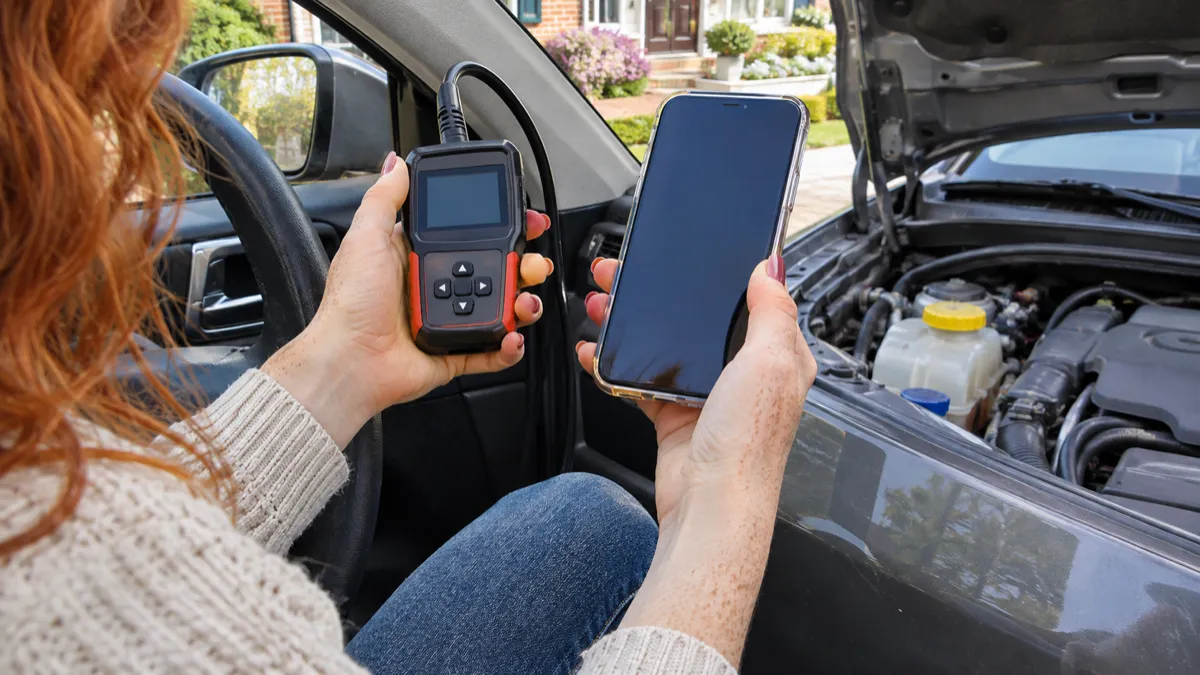
Updated November 16, 2026 · Sources last checked November 16, 2026
Our take
An OBD2 scanner is worth buying when you will use it repeatedly for DIY repairs, used-car checks, emissions-readiness checks, or warning-light triage. If you only see a check-engine light occasionally and will always have a shop handle the repair, borrow a scanner, use a reputable parts-store scan, or pay for diagnosis instead. Choose a basic wired reader for generic engine and emissions information, BlueDriver Pro for phone-based guidance, Innova 5610 for recurring DIY work, and a professional tablet only when you need broad module coverage, active tests, or workshop records. A scanner informs diagnosis; it is not a repair, safety inspection, or substitute for mechanical testing.
At a glance
| Situation | Best level | Decision |
|---|---|---|
| Occasional check-engine light | Basic wired reader | Buy if you want the code and readiness status; otherwise borrow one |
| Used-car shopping | Phone-based enhanced scanner or full-system tool | Worthwhile, but pair it with a physical and professional inspection |
| Emissions inspection | Any reputable reader with I/M readiness | Buy or borrow if you need to check monitors before testing |
| Regular DIY repairs | Advanced handheld | Worthwhile when live data, service resets, or active tests match your jobs |
| Brand-specific coding | OBDeleven 3 or the relevant ecosystem | Buy only after checking the exact vehicle, region, plan, and function |
| Small workshop | Autel MK808S or similar tablet | Justified only if module coverage, workflow, and update costs earn back the investment |
| Always-use-a-shop owner | None yet | A scan fee or borrowed tool is usually more sensible |
What OBD2 is—and what the code means
OBD2 is the standardized diagnostic connection and communication system used by many modern light-duty vehicles. In the United States, the EPA’s OBD requirements distinguish gasoline and diesel applications: gasoline light-duty vehicles generally fall under the 1996 model-year implementation, while full diesel light-duty compliance began with the 1997 model year. That standardization does not mean every scanner can access every system.
The vehicle monitors selected conditions related mainly to emissions and powertrain operation. When it detects a condition that may raise emissions beyond the applicable threshold, it can store a diagnostic trouble code (DTC), preserve operating conditions, and illuminate the malfunction indicator lamp (MIL), commonly called the check-engine light.
Freeze-frame data is the snapshot of conditions recorded when the fault was captured. Live data is the stream of current sensor and control values. I/M readiness shows whether supported emissions monitors have completed their self-checks. Mode 6 exposes results from certain onboard monitor tests, but its numbers need vehicle-specific interpretation.
Generic OBD2 usually reaches standardized engine and emissions information. ABS, airbags, transmission, body, TPMS, hybrid, and EV systems often use manufacturer-specific communication and coverage. A tool may read the engine computer while being unable to scan the other modules.
Generic access and enhanced access are different buying decisions. The matrix below shows the practical boundary; every enhanced result remains conditional on exact vehicle coverage.
Full-system access matters when the warning is outside the engine computer: it can reveal a stored ABS, SRS, transmission, body, hybrid, or EV module fault that a generic reader cannot see. OEM data can expose manufacturer-specific parameters, while a service function can perform a supported reset or calibration after the mechanical work. Bidirectional testing goes further by commanding an actuator and observing its response; none of these features proves that every module or procedure works on your exact vehicle.
The hard limit: a scanner points, it does not prove
A DTC normally identifies a monitored circuit, condition, or system area, not the part to replace. A misfire code can be associated with ignition, fuel delivery, air leaks, compression, wiring, timing, or control problems. The code narrows the search; testing establishes the cause.
A scanner can help with warning-light triage, stored and pending codes, readiness status, freeze-frame context, sensor trends, supported system scans, and verification after a repair. It cannot establish mechanical damage, prove a vacuum leak without supporting tests, verify wiring integrity, assess brake or tire condition, judge fluid condition, explain every noise, capture every intermittent fault, or certify that a repair is safe.
Safety stop: stop scanning and use a qualified technician for an airbag or brake warning, a high-voltage hybrid or EV warning, overheating, a fuel smell or visible leak, a flashing MIL or severe misfire, loss of power or control, or any symptom that makes the vehicle unsafe to drive. Do not use an active test, coding function, or reset as a substitute for the manufacturer’s repair procedure.
Match the scanner to the job, not the marketing label
The meaningful question is not “which scanner has the most features?” It is “which diagnostic depth does this job require?” Generic access is enough for a basic check-engine-light question. Enhanced modules, active tests, service resets, and coding add value only when the vehicle and repair actually support them.
Older pre-OBD2 vehicles may need a manufacturer-specific connector, an OBD1 adapter, or a different tool entirely. Diesels can have different implementation and coverage requirements from gasoline vehicles. Hybrids and EVs require explicit high-voltage, battery, inverter, and related module coverage; motorcycles are a separate compatibility case because connectors, protocols, and manufacturer access differ. Treat each as a coverage question, not as an automatic extension of passenger-car OBD2 support.
| Job | Minimum useful capability | Why it changes the decision |
|---|---|---|
| Occasional warning light | Generic codes, pending codes, freeze-frame, live data, I/M readiness | Provides evidence before a shop visit without unnecessary complexity |
| Used-car inspection | Generic plus enhanced system scan, readiness, freeze-frame, VIN/AutoVIN | Can reveal stored or pending faults, but cannot replace inspection or road testing |
| Emissions preparation | I/M readiness and code status | Shows whether monitors have completed; local rules still decide pass/fail |
| Recurring DIY repairs | Graphing, recording/export, vehicle-specific data, service functions | Lets you compare symptoms, verify repairs, and complete supported resets |
| ABS, SRS, transmission, TPMS | Full-system coverage for the exact vehicle | A generic engine reader may never see these modules |
| Actuator diagnosis | Bidirectional or active testing | The tool can command a supported component and observe its response |
| Coding or adaptations | Brand-specific coding support and the required plan | Changes configuration rather than merely reading data; mistakes can create new problems |
| Workshop workflow | Broad coverage, records, support, wireless operation, current software | Reduces repeated setup and supports multiple vehicles, but costs and update terms matter |
The features that matter in real use
A long feature list is useful only when it changes what you can establish. Code clearing can turn off a light after a repair, but it does not prove the repair worked. Live-data graphs and recording help a DIYer compare readings with symptoms; freeze-frame preserves the conditions that caused the code; Mode 6 can add monitor-test evidence when the tool presents it clearly.
Full-system scanning, bidirectional tests, and service functions are the major capability jumps. “All systems,” “OE-level,” “vehicle coverage,” and “bi-directional” are not universal guarantees. Coverage can vary by year, make, model, engine, market, module, software version, and requested operation.
Clearing a code is not the same as repairing the fault. Ordinary stored codes may disappear after clearing, while permanent emissions codes are retained by the vehicle until its own verification criteria are met; a scanner cannot simply erase that evidence on demand. Clearing can also reset I/M readiness monitors, so record codes, freeze-frame, readiness, and useful live data first.
Ownership-cost audit: before buying, check the named product’s current terms for update duration and charges, subscription requirements, paid feature packs or credits, account or cloud dependence, app support, and vehicle-specific licensing. These terms can differ by candidate and by function, so do not assume that a feature listed for the hardware is included for every vehicle or remains available without the relevant software plan.
| Feature | Who needs it | What it changes | Ownership question |
|---|---|---|---|
| Stored, pending, permanent DTCs | Everyone diagnosing a warning | Shows confirmed, developing, or retained emissions faults | Does the tool explain permanent-code behavior correctly? |
| Freeze-frame | Anyone investigating intermittent or load-related faults | Preserves operating context at detection | Can you save or export it before clearing? |
| Live data and graphing | DIY owners and used-car buyers | Shows trends rather than one code definition | Are useful PIDs available for your vehicle? |
| Mode 6 | Advanced DIYers and emissions troubleshooting | Exposes selected monitor-test results | Does the app explain vehicle-specific results? |
| I/M readiness | Inspection and used-car buyers | Shows whether emissions monitors have completed | Does clearing reset the monitors? |
| VIN/AutoVIN | Used-car buyers and multi-car users | Reduces vehicle-selection mistakes | Can you confirm the identified vehicle manually? |
| Full-system scan | ABS, SRS, transmission, TPMS, hybrid, EV, and body work | Reaches modules a generic scan misses | Is the exact module listed in the checker? |
| Bidirectional testing | Repairers with test procedures | Commands supported actuators instead of only reading them | Is the exact test supported, and do you understand the procedure? |
| Service functions | DIYers replacing batteries, brakes, filters, or sensors | Performs supported resets, relearns, calibrations, or adaptations | Is the function included or licensed separately? |
| Coding | Brand-specific enthusiasts and technicians | Changes configuration or adaptations | What plan, security access, and recovery procedure are required? |
| Updates | Owners keeping a tool current | Adds or maintains software coverage | Are updates free, time-limited, or subscription-based? |
| App, recording, export, support | Phone-first owners and workshops | Improves interpretation and documentation | Does it require an account, cloud service, or paid feature pack? |
Basic reader versus phone adapter versus handheld versus tablet
For each candidate, check whether it has an integrated display, works without a phone or account, and provides the functions you need. For an app-connected adapter, check the supported phone operating systems, pairing method, required permissions, account requirements, app support, cloud dependence, offline behavior, and whether the app stores or exports scan data. Treat these as product-specific ownership questions rather than assumptions about every wired reader or Bluetooth adapter.
When comparing an advanced handheld with a tablet, check the dimensions and screen, connection method, menu structure, included functions, update terms, support, and the exact vehicle coverage. A larger interface may be useful for repeated scans or graphing, while a simpler tool may be easier to keep available for occasional checks; these are practical editorial considerations, not universal category rules.
For app-connected products, check what data is stored, what permissions are requested, whether an account is required, how pairing behaves in the intended vehicle, whether essential functions work without cloud access, and how long the app and operating system are supported. These are ownership questions, not assumptions about security.
| Format | Strength | Trade-off | Choose it if… |
|---|---|---|---|
| Basic wired reader | Simple, self-contained, dependable for generic codes | Small screen and narrow coverage | You need occasional engine/emissions information |
| Bluetooth phone adapter | Portable, app guidance, graphs, logs, reports | Phone, app, account, pairing, battery, and subscription dependence may apply | You want interpretation and recording more than a standalone screen |
| Advanced handheld | No phone required; broader modules and functions | More expensive and complex; coverage still varies | You perform recurring DIY repairs |
| Professional tablet | Large interface, wireless operation, records, active tests, service functions | Cost, update/subscription commitments, learning curve | You maintain several vehicles or run a small workshop |
The candidates: what each tier is genuinely good for
The generic reader is the baseline, not a universal bargain. Choose a reputable model that explicitly supports generic codes, pending codes, live data, freeze-frame, and I/M readiness. A generic ELM327-style adapter can be useful for basic data when its documented protocol support matches the vehicle and its compatible app provides the functions you need; the adapter itself does not create manufacturer-specific coverage.
| Candidate | Genuinely good for | Limits and ownership audit |
|---|---|---|
| Basic generic handheld | Occasional check-engine-light triage, generic codes, clearing, live data, readiness | Usually engine/emissions only; no active tests or brand-specific modules; update and support terms vary by model |
| Ancel BD310 | A hybrid handheld/Bluetooth design for owners who want a screen plus app flexibility; Car and Driver named it its overall pick | Car and Driver noted it lacks bidirectional control; verify the BD310’s current app, documented protocols, compatibility, and update terms for the exact unit |
| BlueDriver Bluetooth Pro | Phone-first owners and used-car buyers wanting Repair Reports, live data, freeze-frame, readiness, and supported enhanced codes | Requires phone/app use; enhanced coverage is vehicle-specific; the manufacturer states there is no recurring subscription, but app and compatibility support remain essential |
| Innova 5610 | Advanced DIYers wanting standalone full-system scanning, OEM-style live data, service functions, and bidirectional tests | Coverage depends on year, make, model, and engine; use Innova’s checker before assuming a reset or active test is available, and confirm current update eligibility |
| OBDeleven 3 | Supported VAG, BMW, Toyota, US Ford, and Mercedes ecosystems where app diagnostics, coding, adaptations, or One-Click Apps matter | Highly plan- and vehicle-dependent; features vary by brand, model, year, region, and function, and some capabilities require the relevant plan or credits |
| Autel MaxiCOM MK808S | Serious DIYers and small shops needing all-system codes, live data, active tests, and functions such as EPB, SAS, BMS, DPF, and TPMS | Functions vary by vehicle; confirm the exact regional model, coverage, update period, and renewal arrangements before buying |
| Topdon Phoenix Lite 2 | The pro-level boundary case: wireless tablet workflow, live data, readiness, broad diagnostics, and active-test capability | Tom’s Guide found it mobile and capable but bulky; its review says software access requires a subscription after two years, making its ongoing cost and professional depth excessive for most household owners |
What will not work
- A generic reader will not reveal an unsupported ABS, SRS, transmission, TPMS, hybrid, or EV module merely because the vehicle has an OBD socket.
- A code will not prove that the named component is the failed part or rule out mechanical, wiring, fluid, brake, tire, or high-voltage problems.
Clearing codes before scanning can remove useful evidence about an earlier fault, including stored and pending codes and the freeze-frame conditions captured when it occurred. It can also reset emissions-readiness monitors, so a later scan may show incomplete status even when the vehicle currently drives normally. Record the codes, freeze frame, readiness results, and relevant live data before clearing anything.
- A generic adapter will not provide brand-specific coding, adaptations, active tests, or service functions unless the adapter, app, protocol, plan, and exact vehicle all support them.
Compatibility is the buying decision
A scanner can be compatible with a vehicle’s generic engine protocol while lacking enhanced ABS, SRS, transmission, TPMS, hybrid, EV, or coding coverage. Before purchase, check the exact year, make, model, market or region, engine, fuel or powertrain, module, and requested function. “Supports Toyota” or “works with BMW” is not enough.
| Compatibility check | What to verify | Where to check | |---|---|---| | Vehicle identity | Exact year, make, model, market or region, engine, fuel, and powertrain | Enter the vehicle manually or use the manufacturer’s coverage tool; confirm AutoVIN output | | Module | Engine, ABS, SRS, transmission, TPMS, body, hybrid, EV, or battery modules | Search the scanner’s exact coverage list, not only the brand name | | Function | Reading, live data, active test, reset, relearn, adaptation, or coding | Search the exact function for the exact vehicle | | BlueDriver | Generic and enhanced coverage by vehicle | Use BlueDriver’s Vehicle Compatibility page | | Innova 5610 | Year, make, model, engine, system, and special-function coverage | Use Innova’s 5610 coverage checker and partnerships information | | OBDeleven 3 | Brand, year, region, model, plan, One-Click App, coding, and adaptation support | Use OBDeleven’s supported-vehicle checker and plan details | | Autel MK808S | Regional model, vehicle, module, function, and current software coverage | Use Autel’s official coverage information or in-tool vehicle coverage search; confirm with support when the exact function is unclear | | Legacy, diesel, hybrid/EV, motorcycle | Connector, protocol, module, and safety-specific support | Check the manufacturer’s compatibility data before purchase; do not assume standard passenger-car OBD2 support |
A scanner may read generic engine codes on a vehicle while lacking enhanced ABS, SRS, transmission, coding, or high-voltage coverage. For a used-car inspection, readiness and a full-system scan are useful evidence, but neither replaces a physical inspection, road test, service records, or qualified inspection.
Worked example: one warning light, three sensible purchases
Imagine a steady check-engine light appears while the car still drives normally. First, record stored and pending codes, freeze-frame data, readiness status, mileage or time information shown by the tool, live-data readings relevant to the fault, and the symptoms. Use freeze-frame to see the load, temperature, speed, and other conditions present when the fault was captured; use live data to see whether current readings support or contradict that snapshot. Do not clear the code yet, because clearing can remove useful context and reset readiness monitors. A steady light with normal operation is generally a prompt-investigation situation, not a diagnosis. If the light flashes, the vehicle overheats, there is a fuel leak or strong fuel smell, braking or control is impaired, an airbag or high-voltage warning appears, or severe drivability symptoms develop, stop relying on the scanner alone and follow the vehicle manufacturer’s safety guidance or contact qualified roadside or repair help.
Before buying a used or refurbished scanner, verify both its physical condition and its continuing access to the software and services that make it useful. Cosmetic wear is usually less important than a sound connector, reliable communication, current app support, transferable account access, and valid update or feature eligibility.
- During a pre-purchase vehicle inspection, scan before anyone clears codes and do not clear codes, code modules, change adaptations, perform resets, or run active tests. Record the results and let a qualified technician handle invasive procedures.
| Purchase | What it can establish | What it cannot establish |
|---|---|---|
| Basic reader | Whether generic codes are stored or pending; basic live data; readiness status | Which part failed, whether the fault is mechanical, or whether another module has a fault |
| BlueDriver or similar enhanced app | The same generic information plus supported enhanced codes, reports, graphs, freeze-frame, and Mode 6 | A universal diagnosis; coverage and explanations still depend on the vehicle |
| Innova 5610, MK808S, or Phoenix Lite 2 | Full-system information, supported service functions, and in some cases active tests | That every listed system or test works on this exact vehicle, or that a repair is safe |
Buying used or refurbished: inspect the tool, then verify coverage
For a used or refurbished scanner, manufacturer support and software eligibility matter more than cosmetic wear. Confirm the exact model and hardware revision, regional version, included cable or adapter, connector, screen, buttons, battery or charging, Bluetooth pairing, current app availability, account transfer, update status, subscriptions, and return protection.
If possible, connect it to a compatible vehicle and verify communication without clearing codes or changing settings. For a pre-purchase vehicle inspection, scan before anyone clears codes, record readiness and available freeze-frame data, and combine the result with a cold start, road test, service records, physical inspection, and an independent inspection. A clean scan is not proof of a healthy engine, transmission, brake system, airbag system, wiring harness, or hybrid battery.
Independent tests: what they reveal—and what they do not
Car and Driver’s August 2026 comparison named the Ancel BD310 its overall pick and BlueDriver Pro Next Gen its best Bluetooth scanner. The testers compared setup and connection behavior, recorded how quickly products connected, examined the available live-data and freeze-frame PIDs, checked readiness-monitor information, and assessed the interfaces and app usability on the products and vehicles they tested. Those observations explain why a hybrid handheld/app design and a guidance-rich phone app appeal to different owners, but they remain results for Car and Driver’s tested products, vehicles, and procedures.
Tom’s Guide compared setup, compatibility, screen and app experience, live data, graphing, readiness, physical design, and update policies. It rated the Innova 5610 highly for combining handheld operation, Bluetooth, live data, and bidirectional capability. It placed the Topdon Phoenix Lite 2 in the pro-level category, noting its wireless mobility and larger, heavier form; the review also states that its included software access requires a subscription after two years. That recurring software commitment should be weighed alongside the purchase: BlueDriver’s manufacturer describes no recurring subscription, while OBDeleven and professional tablet ecosystems can make plans, feature packs, or update eligibility part of ownership. These are sourced product-specific terms, not current marketplace prices.
These are observations from named testers using particular products, vehicles, and procedures. They do not prove universal compatibility or that a code reader can diagnose every fault. Manufacturer pages are the authority for claimed features and coverage; the recommendations here are Mercubic editorial judgment, not first-hand Mercubic testing.
Before committing, translate the independent test results into the job you actually plan to do, then verify the details the test could not establish for your vehicle. A polished interface or quick connection is useful, but it cannot replace a coverage check, a review of ownership costs, and a clear decision about whether you need generic reading, enhanced modules, active tests, service resets, or coding.
- If use will be rare, compare the total cost with borrowing a scanner, using a reputable parts-store scan, or paying for one professional diagnostic appointment.
| Evidence | What it contributes | Limit |
|---|---|---|
| Car and Driver | Hands-on comparison of setup, connection, code reading, interfaces, live data, and apps; named BD310 and BlueDriver category picks | Results are tied to the tested products, vehicle, and procedure |
| Tom’s Guide | Hands-on comparison of handheld and Bluetooth workflows, readiness, graphing, compatibility, design, and update policies | A tester’s result does not prove coverage for your vehicle |
| Manufacturer documentation | Exact feature claims, coverage checkers, update and plan terms | Marketing claims still require exact year/make/model/function verification |
Final recommendations and the do-not-buy-yet checklist
For an occasional check-engine-light owner, buy a reputable basic wired reader if you want evidence in the glovebox; otherwise borrow one. For a used-car buyer, BlueDriver is a strong phone-first choice when the exact vehicle passes its checker, but budget for a professional inspection. For emissions-readiness checks, any reputable reader with I/M readiness is enough.
For a phone-first owner who wants reports and guidance, choose BlueDriver Pro. For an advanced DIYer, choose Innova 5610 when its coverage checker lists the needed modules, resets, and active tests; choose MK808S or Phoenix Lite 2 only when a larger multi-system workflow is genuinely useful. For a supported-brand coder, choose OBDeleven 3 only after confirming the exact vehicle, region, plan, and coding or adaptation function. For a small workshop, a professional tablet can justify its update and support commitments; for everyone else, it is usually overkill.
Glossary and what will not work
DTC means diagnostic trouble code; MIL is the malfunction indicator lamp or check-engine light; freeze frame is the recorded operating snapshot; live data is current vehicle information; I/M readiness is emissions-monitor completion status; Mode 6 is selected onboard monitor-test data; bidirectional or active testing sends commands to supported vehicle components; OEM means original-equipment manufacturer or manufacturer-specific information and functions; ECU means electronic control unit.
Sources
- US EPA — OBDII Test Procedures
- US EPA — OBD inspection guidance
- Car and Driver — Best OBD-II Scanners for 2026, Tested
- Tom’s Guide — Best OBD-II Scanners in 2026
- ANCEL — Downloads and BD310 documentation
- BlueDriver — Pro scan tool
- BlueDriver — Vehicle compatibility
- Innova — 5610 Partnerships V2
- Innova — 5610 active tests and special functions
- OBDeleven — Supported vehicles
- OBDeleven — Plans
- Autel — MaxiCOM MK808S/MK808Z
- Autel — MK808S manual
Specifications vary by model and reference — always check the individual listing.